THE GAME OF EVOLUTION
This “game” is a simulation of evolution by the process of natural selection. With it, you will observe how one species can dominate another and drive it to extinction, because it is more environmentally fit.
1. DEMO
Perhaps the best way to present the rules is to run through a demo game. I encourage you to follow along.
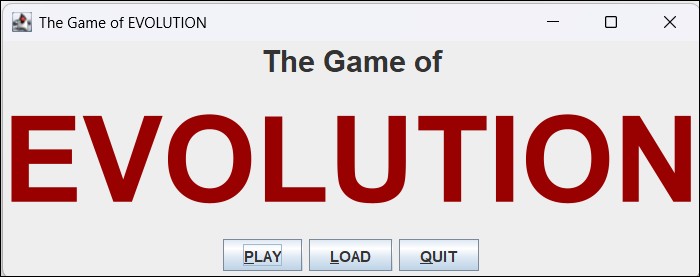
When you initially start the program, you will see the following window. Press the “PLAY” button.
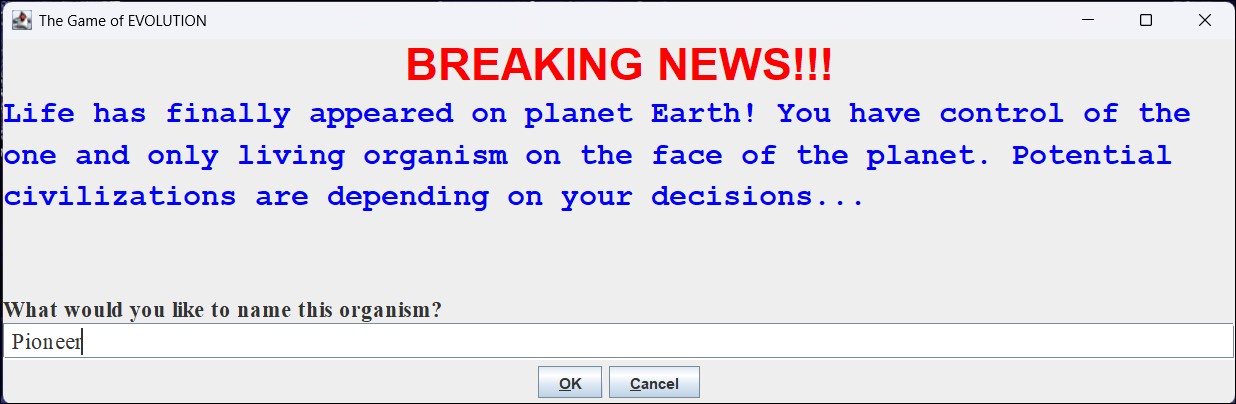
Next a window will appear that explains that there is only one organism in the world. You are asked to name it. You can call it “Pioneer”. Then press “OK”.
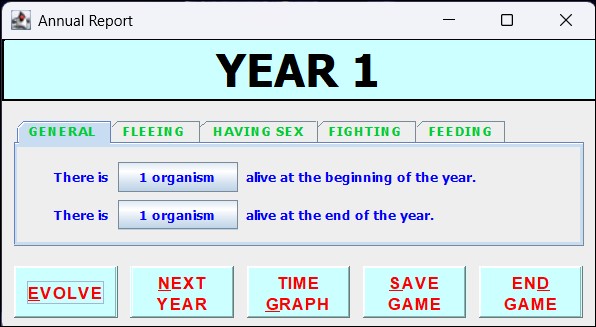
Now you see a window that presents the events that occurred during the first year. Here you are provided with a variety of information about the various species of the world. As you can see, there is only one organism alive at the beginning of the first year. During this year, your first organism had a baby by asexual reproduction. If you click the “HAVING SEX” tab you can see that one new organism was born. You can also see that your first Pioneer died of old age during the year. It only had a lifespan of 1 year. Press the “NEXT YEAR” button.
Now you see information about the second year. At the beginning of the year, your second Pioneer was the only organism alive. It gave birth to a third Pioneer and then it died. So at the end of the year, your third Pioneer is the only organism.
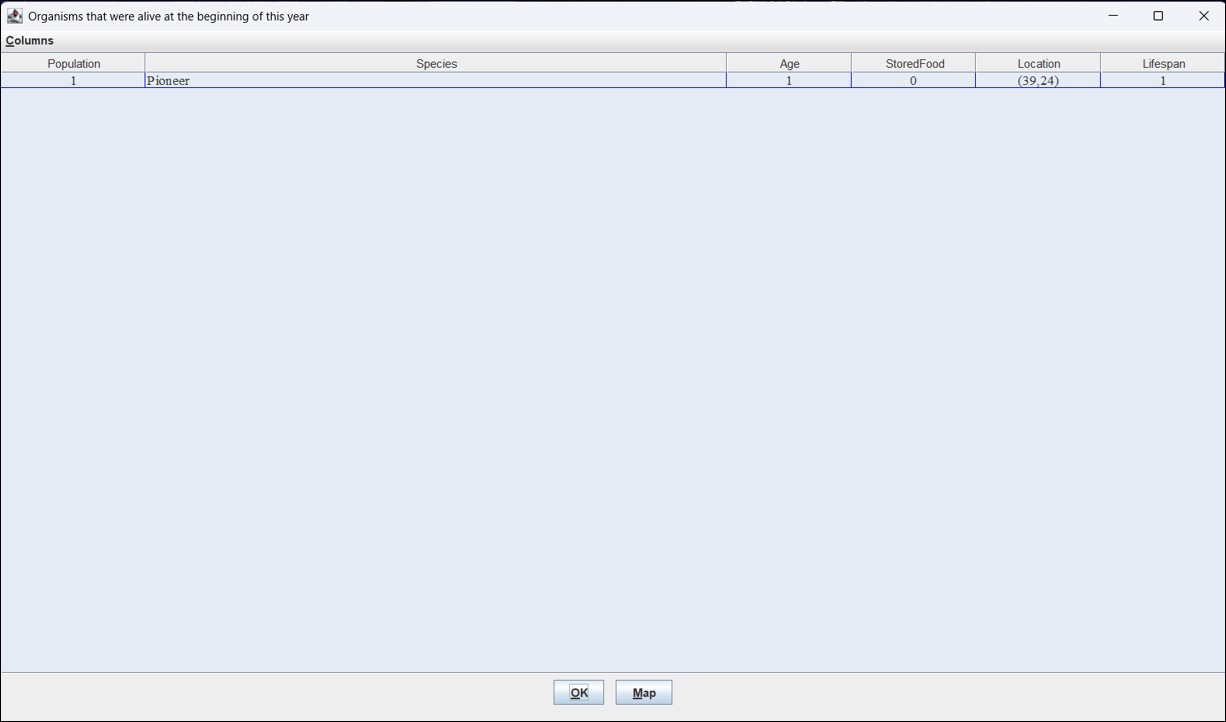
Press the first button that says, “1 organism”. Now you see a table showing all of the organisms that were alive at the beginning of the third year. Since there was only one organism alive at that time, your second Pioneer, there is only one row in the table. You are provided with information about that organism, including the name of its species, its age, and its lifespan. Notice that its lifespan is 1 year and its age is 1 year. So, although it was alive at the beginnning of the year, it was not alive at the end of the year. You can verify this by pressing “OK” and then pressing the second “1 organism” button. Here you see that there is only one Pioneer at the end of the year. This is your third Pioneer. Like the second Pioneer, it has a lifespan of 1. However, you can see that it is a different Pioneer, because its age is 0. It will be alive at the beginning of the next year and die during that year. Press the “OK” button to make the table disappear.
You have the ability to make one change to a newborn organism every year. Press the “EVOLVE” button. Now you see a table with your newborn Pioneer. Click on the row in the table to select that Pioneer. Now you can make one modification to that Pioneer. Below the table, click on the dropdown menu that is to the right of the words “Change the”. You can see that this Pioneer has only one changeable characteristic, “Lifespan”. The next drop down menu has the value 2. By changing the newborn Pioneer’s lifespan to 2, it will survive the next year.
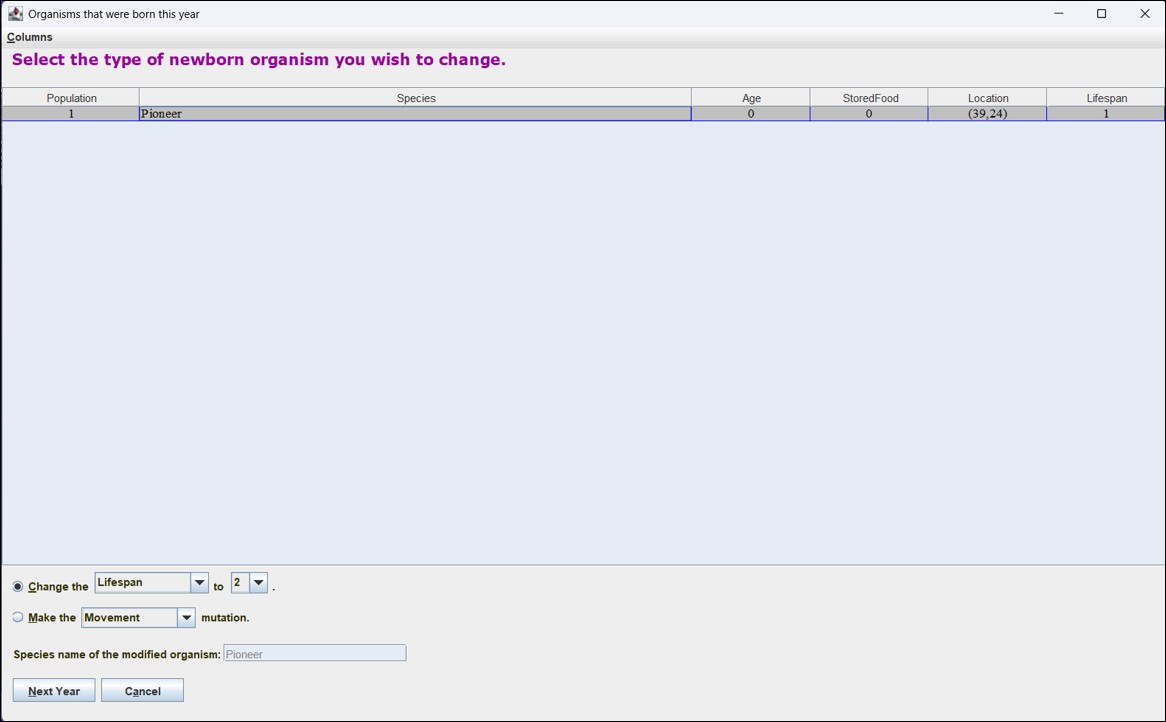
After pressing the “Next Year” button, you will see that there are two organisms alive at the end of the year. One of them is your third Pioneer. Since it has a lifespan of 2, it is alive at the end of the year. Checking the “HAVING SEX” tab, you can see that no organisms died of old age in year 3. Go back to the “GENERAL” tab and press the “2 organisms” button. A table with two rows appears. One row is for the adult organism, and the other shows the newborn organism. They are identical except for their ages. The adult is now 1 year old, and the neworn is 0 years old. Press “OK” to close the window.
You cannot change the adult organism. You can only change newborn organisms. Press “EVOLVE”. This table only shows the newborn Pioneer. (Its age is 0.) Click on that row to select it. Below the table, you see that you can change its lifespan to 3. If you click on the “3” dropdown menu, you will see that you have two choices. You can increase a characteristic’s value by one or decrease it by one. Press “NEXT YEAR” to change the newborn organism’s lifespan to 3.
Select the “HAVING SEX” tab. 1 organism died of old age. That was your third Pioneer, which lived in years 2 and 3 and then died in year 4. Also note that two organisms were born. That is because two Pioneers were alive at the beginning of the year. Each one produced one baby Pioneer.
Press the button that says “2 organisms”. One of the newborn organisms has a lifespan of 2 and the other has a lifespan of 3. That is because a newborn organism always has the same characteristics as its parent. It is a duplicate copy.
Press “OK” and then select the “GENERAL” tab. At the end of year 4, there are 3 organisms. Press the “3 organisms” button. Now you can see that two of the three organisms are newborns (age 0), and the other one is your fifth Pioneer. It has a lifespan of 3 and it is currently 1 year old. It will live for two more years.
Press “OK” and then press the “EVOLVE” button. You can see the two newborn Pioneers. You may change one of them. Select the one that has a lifespan of 3. Now, instead of changing its lifespan, you can cause a mutation in this organism. Click the radio button that is next to the “Make the” words. Then select the dropdown menu that follows them to see the list of mutations that you can choose. Select “Storage”. This organism will have the ability to store food to eat later. You can change the species name of this organism by entering a value to replace “Pioneer” in the text box. Change its name to “Fatty”. Press “Next Year”.
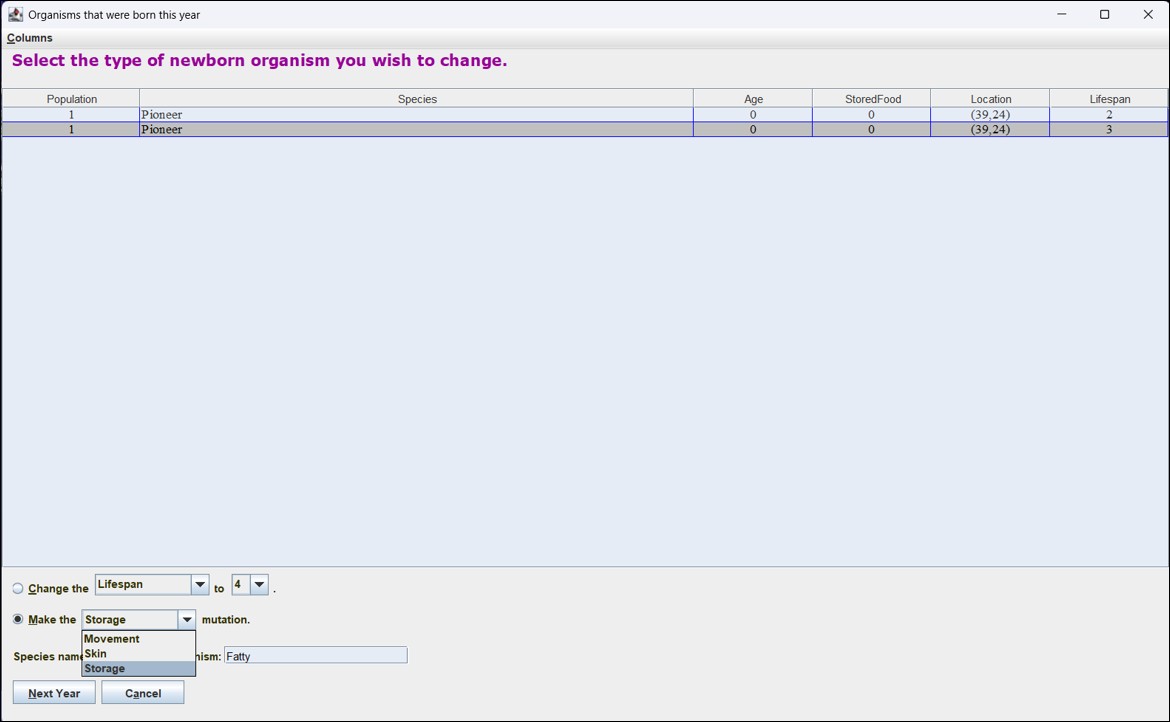
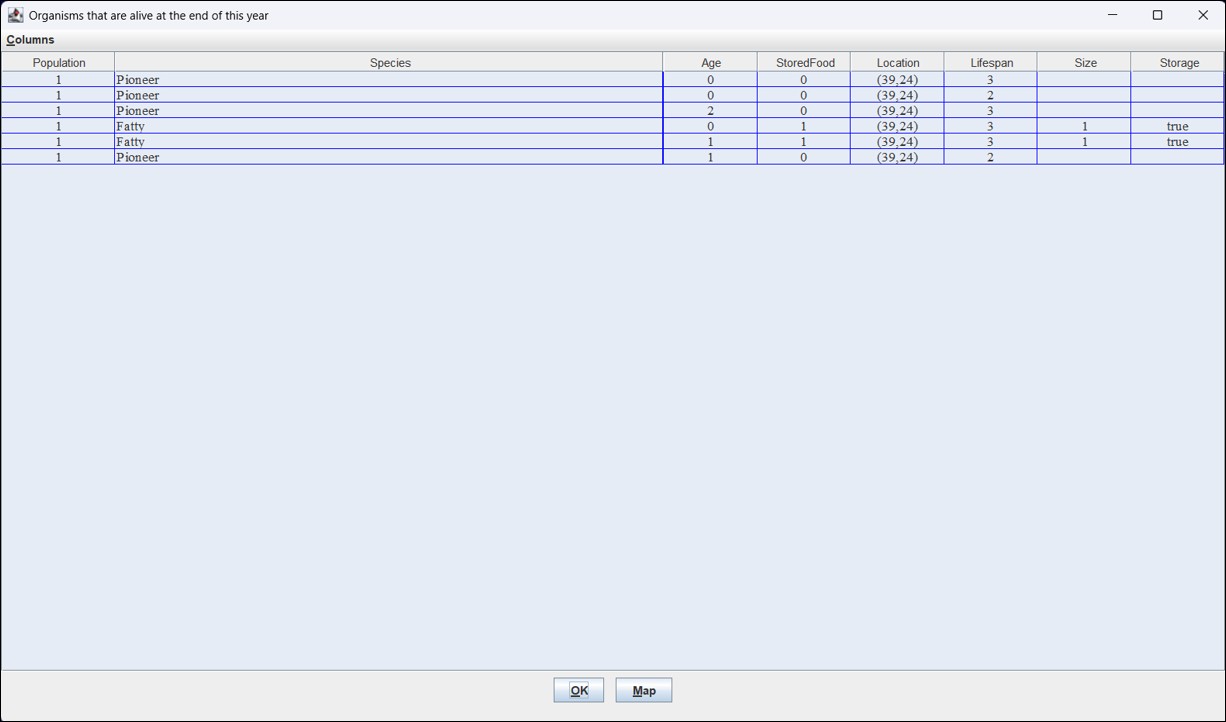
There were three organisms at the beginning of the year. (They were the same three organisms that were alive at the end of the last year.) Each of them gave birth to one identical organism, and none of them died of old age, so there are six organisms at the end of the year. Press the “6 organisms” button to see them. Notice that there are two Fatty organisms. One of them is the one you changed. Its age is 1. The other one is the organism that it gave birth to. Its age is 0. The Fatty organisms have a new characteristic, “Size”, and the initial value is 1. This means that they can each store one food unit to eat later, and, as the “StoredFood” column shows, they both did that. This means that, if they are unable to find any food next year, they can eat the food they stored so they will not die. Press “OK”. Then press “NEXT YEAR” to go directly to the next year without making any changes.
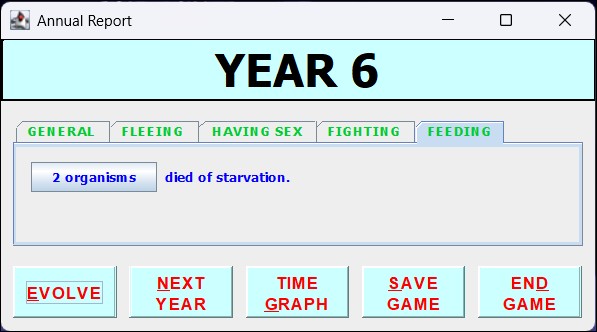
All of the organisms are located in a swamp, which only provides ten units of food each year. Since six new organisms were born to the six organisms that were alive at the beginning of the year, there were twelve organisms competing for the ten food units, so at least two of them were unable to obtain food. Click the “FEEDING” tab. Depending on whether the two newborn Fatty organisms were able to store food and depending on whether the two older Fatty organisms needed to eat their stored food, two to four of the organisms were unable to get any food. If they were Pioneers or newborn Fatty organisms, they starved and died. If they were the adult Fatties, they were able to eat their stored food and survive. So the result is that 0 to 4 organisms starved. You can press the button to see which one(s) starved.
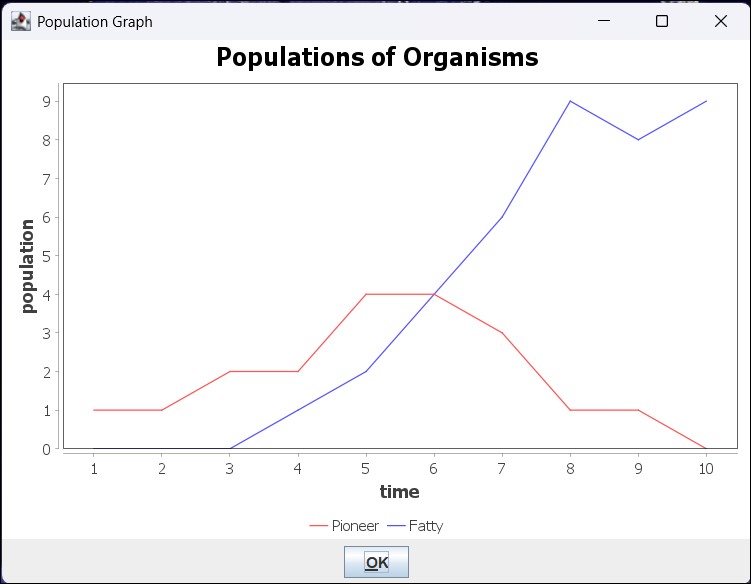
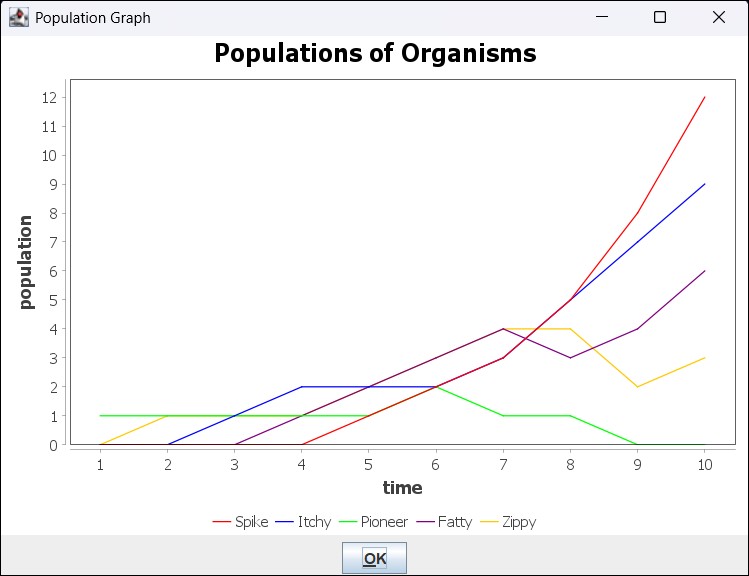
Now press the “NEXT YEAR” button several times to see what happens if you do not make any changes. Then press the “TIME GRAPH” button. Here you can see how the populations of both species changed over time. Since there is a random aspect, your results may vary. However, since the Fatties are more environmentally fit than the Pioneers, with high probability, the Pioneer organisms will eventually go extinct. But there is a chance that the Fatties all die out first.
2. THE EVENT RECORD WINDOW
Each year, the user is shown a window that provides various statistics about the organisms that year. In the “GENERAL” tab, it shows the number of organisms that were alive at the beginning of the year and the number of organisms that were alive at the end of the year. By pressing any of the “organism” buttons, the user can see detailed information about those organisms in a Statistics window. (See
Section 3.)
2.1 THE FLEEING TAB
The first thing that happens each year is that organisms may move. The “FLEEING” tab on the Event Record window shows the number of organisms that moved from one location to another. The first organism does not have the ability to move, so all of the organisms remain in the same location until one gets a mutation such as Movement. See
Section 6.2.
2.2 THE HAVING SEX TAB
The “HAVING SEX” tab on the Event Record window shows two numbers: the number of organisms that were born and the number of organisms that died of old age in the current year. After organisms move, organisms are born, and then old organisms die.
Each organism that is alive at the beginning of any year gives birth to one organism via asexual reproduction. The newborn organism has exactly the same location, characteristics, and mutations as the parent. Its age and stored food values are zero.
Each organism has a lifespan, which is the number of years it will live before it dies of old age. The initial organism has a lifespan of one, which means it is only alive for one year, and so it only gives birth to one organism before it dies.
2.3 THE FIGHTING TAB
After organisms die of old age, organisms may fight. The “FIGHTING” tab on the Event Record window shows the number of organisms that killed other organisms and the number of organisms that were killed by other organisms. The initial organism does not have the ability to kill another organism. A mutation, such as the Bumps mutation (
Section 6.4), is required.
2.4 THE FEEDING TAB
The last thing that happens each year is the organisms may eat. The “FEEDING” tab on the Event Record window shows the number of organisms that died of starvation in the current year. Each location provides enough food to feed a limited number of organisms. The location where the organisms begin is a swamp, which has ten food units. If there is not enough food for all of the organisms, it is distributed randomly.
3. THE STATISTICS WINDOW
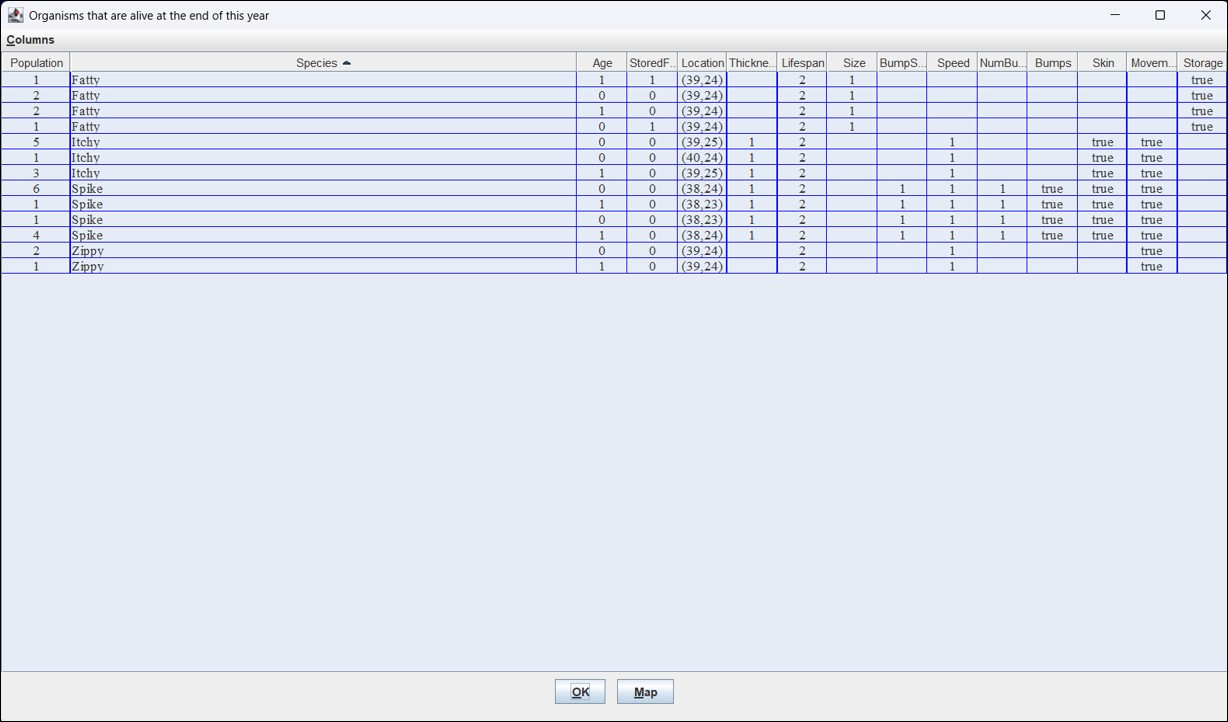
The Statistics window presents a table with information about a set of organisms. Which organisms are displayed depends on which button the user pressed to open the Statistics window. The table has the values of organisms’ properties, characteristics, and mutations. The properties of organisms are Age, StoredFood, and Location. Initially, organisms have no characteristics or mutations.
Each row of the table represents a set of organisms that have the same values. In other words, if the values of all of the properties, characteristics, and mutations of a number of organisms are exactly the same, their rows are merged into one row, and the Population column shows how many organisms have those values.
The user can sort the rows by clicking on a column’s header cell.
4. THE MAP WINDOW
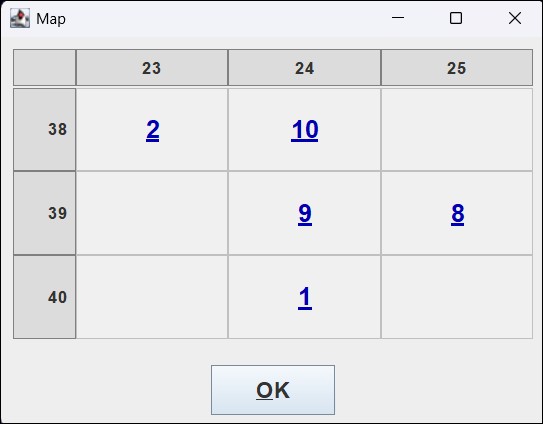
On the Statistics window, there is a “Map” button. Pressing that button opens a Map window. It shows the number of organisms in each location. Clicking on a number opens a Statistics window with information about the organisms at the selected location.
5. THE TIME GRAPH WINDOW
On the Event Record window, there is a “TIME
GRAPH” button. Pressing that button opens a window with a line graph that shows the population of each species each year. (An organism’s species’ name can be changed on the Evolve window. See
Section 6.)
6. THE EVOLVE WINDOW
The Evolve window is similar to the Statistics window (
Section 3). However, only the newborn (age 0) organisms are listed. The user can select any of the rows in the table to change one of the organisms. (
Section 3 explained that, if more than one organism has exactly the same values in its row, the rows are combined, and the “Population” column specifies how many organisms have those values. However, if a row with a population greater than 1 is selected in the Evolve window, only one of those organisms will be changed.)
It is possible to make one change, either changing a characteristic or a mutation. A characteristic’s value can be increased or decreased by 1, though it cannot go lower than 1 or higher than 9. Alternatively, a mutation may be selected to cause a significant change in the organism.
6.1 THE STORAGE MUTATION
An organism with the Storage mutation has the ability to store food to eat later. When a Storage mutation occurs, the organism gets a new characteristic, Size. This characteristic originally has that value 1, but on the Evolve window, that value can be increased.
During the Feeding phase, for each unit of food available at a location, one of the organisms is randomly selected to get that food. If that organism has already stored food equal to its size, it eats that food and then it is not selected again. However, if its StoredFood value is less than its Size value, its StoredFood value is increased by 1, and then it is returned to the pool of available eaters so that it may be selected again. Then, if the food runs out before it is selected again, it eats one of its stored food units.
6.2 THE MOVEMENT MUTATION
An organism with the Movement mutation gets a new characteristic, Speed. Like the other characteristics, it begins with a value of 1, and it can be increased to a maximum value of 9.
For each organism, a number between 0 and 9 is randomly selected, and if that value is less than the organism’s speed, it moves North, South, East, or West with equal probability.
6.3 THE SKIN MUTATION
An organism with the Skin mutation gets a new characteristic, Thickness. Like the other characteristics, it begins with a value of 1, and it can be increased to a maximum value of 9.
When an organism with the Skin mutation is attacked by anything, a number between 0 and 9 is randomly selected, and if the that value is less than the organism’s thickness, the attack fails and the organism is unharmed.
6.4 THE BUMPS MUTATION
An organism with the Bumps mutation gets two new characteristics, BumpSize and NumBumps. Like the other characteristics, they start at 1 and can be increased to a maximum value of 9.
The Bumps mutation enables an organism to attack other organisms. It gets a number of attempts equal to its NumBumps value. Each time, a different organism at the same location is randomly selected, and then a number between 0 and 99 is randomly selected. If that number is less than the product of its BumpSize and Speed values, then the other organism is hit, and if it fails to defend (with, for example, the Skin mutation), it dies. Since an organism’s Speed value must be at least 1 for it to hit another organism, an organism that does not have the Movement mutation cannot kill any other organisms with the Bumps mutation.